How GEO content gets into your CMS: integrations, access and developer effort
In short
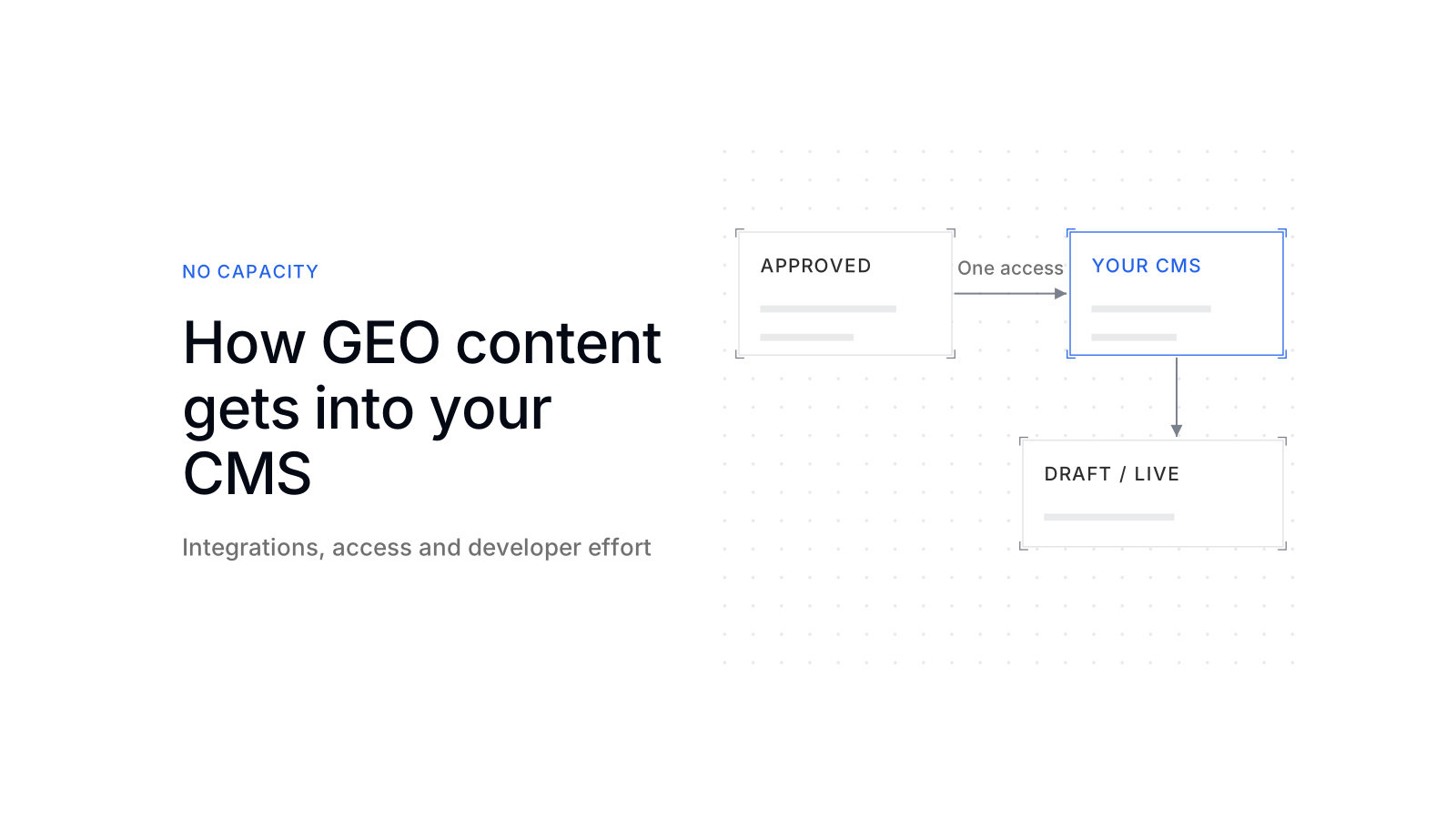
Usually without a developer: scaile connects to any system, WordPress, Webflow and Shopify directly, any other through a Google Sheet. One access, granted once, then every approved article arrives. With Managed GEO, scaile writes, you approve, scaile publishes.

Dora is a founding engineer at scaile. She studied computer science, psychology and neuroscience at TUM, which is the perfect fit for GEO: she has a deep understanding of technology and of the human side, and knows how to write and produce content that leads humans to buy and AI to show you in its answers.
Key takeaways
WordPress, Webflow and Shopify each connect through their own API. Your side grants one access, once: an application password, a site token or an approved app install.
A developer is a one-time question. It comes up when your blog template has no place for something the article carries, or when your CMS has no ready-made connector.
Give the narrowest access that can publish: a WordPress user with the Author or Editor role, a Webflow token for one site, a Shopify app that asks only for content.
Per article, your team approves. It can choose a draft first, and an update rewrites the same post instead of creating a second one.
The real question in a sales call is not "developer or not". It is who holds publishing rights and who approves. Settle that in the first week.
How does GEO content get into your CMS?
GEO content gets into your CMS through the CMS’s own interface for other software, its API. For WordPress, Webflow and Shopify, someone on your side grants access once, and from then on each approved article is pushed as a post, either as a draft or live. No developer is needed for that step. Generative engine optimization (GEO) means writing pages that ChatGPT, Gemini, Perplexity or Google AI Overviews can find and quote. So the content has to end up on your own domain, where those systems read it.
Buyers ask it in sales calls in almost these words: “How does the content get into our CMS? Do we need developers, or do you need access to our site?” The answer has two parts. Connecting the CMS is a setup step that takes one access and, in some cases, one round of template work. Publishing each article afterwards is a button, and the decision behind the button stays with your team.
What each CMS connection asks from your side
Each CMS asks for one thing from your side, and the difference is who in your company can give it. scaile connects to any system: WordPress, Webflow and Shopify have their own connectors in scaile’s platform, and a Google Sheet works as the bridge for every other system.
An application password for one user. WordPress has shipped application passwords since version 5.6; they are created on the user’s profile page and sent with requests to the REST API over https. [1] Whoever manages users on your site can create one. scaile then creates or updates one post per article.
A site token. Webflow creates site tokens per site, and whoever creates the token chooses its scopes. [2] scaile asks for read and write access to the CMS, the site and the assets, so it can upload the article images as well.
An app install, approved by the store owner on Shopify’s consent screen, the OAuth authorization code grant Shopify uses for apps outside your own store. [3] The article lands in your Shopify blog.
A Google Sheet. scaile writes each article as one row. The sheet is either one scaile creates and shares with you, or your own, shared as Editor with scaile’s service account and mapped column by column. Your CMS import or your developer takes the rows from there.
For WordPress, Webflow and Shopify, that is the whole technical handover. Nobody installs a plugin on your server, and nobody needs a login to your admin dashboard.

When you still need a developer
You need a developer once, at setup, and only in two situations: your blog template lacks a place for something the article carries, or your CMS has no ready-made connector. After that, publishing an article does not touch code.
Your blog runs on WordPress, Webflow or Shopify, the post template already shows a title, body, cover image and author, and someone can create the access described above.
The template has no field for FAQ or schema markup, a Webflow collection lacks fields the article needs, or the CMS is custom or headless and has to read articles from a sheet or an API.
Webflow is the clearest case of template work. A Webflow collection has fields your team defined, so each of them is matched once to a field the article provides: title, body, cover image, summary, author and so on. That mapping is a form in the platform, not code. Code comes in only if the collection has no field for something you want on the page, which your Webflow designer adds in the Designer.
Structured data is the most common one-time task. Google recommends JSON-LD for structured data “if your site’s setup allows it”, because it is the easiest format to implement and maintain at scale. [4] If your template has nowhere to place a block of JSON-LD for the article or its FAQ, a developer adds that slot once. What schema markup does for AI answers, and what it does not, is covered in schema markup for GEO.
A custom or headless CMS is the other case. There, a developer either connects the CMS to the sheet once or builds an import from it. Connections beyond the CMS, for example to a CRM, are scoped per engagement.
Some work is site-wide rather than per article: whether AI crawlers can reach your pages at all, and how the pages render. That belongs to the technical GEO audit and the AI crawler access check, not to the CMS connection.
Which access to give, and how to keep it narrow
Give the narrowest access that can still publish, and make it one you can switch off without touching anyone’s personal login. Each of the three CMSs offers a way to do that.
In WordPress, create a dedicated user for scaile and give it the lowest role that fits. WordPress defines an Author as “somebody who can publish and manage their own posts” and an Editor as “somebody who can publish and manage posts including the posts of other users”. [5] Author is enough for new articles. Editor is needed only if scaile should also update posts your team wrote before. A Contributor cannot publish at all, so that role does not work for a connection that publishes. An administrator account is never needed.

An application password cannot be used to log in to the dashboard. WordPress’s integration guide answers the question of using one on the login page with “You can’t”. [6] It is meant for software, and on the same user profile page you can see each password and revoke it. By default, application passwords are available only on sites served over SSL, so an https site is a requirement. [6] scaile stores the password encrypted and never shows it again after you enter it.
In Webflow, the token is tied to one site, so it cannot reach your other sites. Webflow tokens expire after “365 consecutive days of inactivity”. [2] A connection that publishes regularly keeps its token alive; one you stop using lapses on its own.
In Shopify, the app asks for content access only. Shopify’s content scopes cover articles, blogs, comments and pages. [7] scaile’s app asks for no customer or order data, so the install does not open your store’s sales records.
What stays with your team for every article
For every article, your team keeps the approval, and with it the decision whether the article goes live. The connection only moves what has been approved.
Publishing in scaile needs an approved article. When scaile pushes it, you choose whether it arrives as a draft for a last look in your own CMS or goes live directly. Many teams start with drafts for the first few articles and switch to live once the layout is right.
Updates do not create duplicates. When an article is published again, after a correction or a refresh, the existing post is updated in place at the same URL. That matters for GEO, because a page that AI answers already cite keeps its address and its links. scaile’s approach to keeping articles current is described on the refresh content page.
Before the first push: a short checklist
The first push goes smoothly when four questions are settled before it. Most of them are decisions, not technical work.
- 1Pick the target
Which CMS, which blog or collection, which language versions
Your partName the person who owns the blog - 2Create the access
Application password, site token or app install, for a dedicated user or token
Your partA user admin or store owner, about one sitting - 3Check the template
Cover image, author, categories, a slot for FAQ and schema markup
Your partAsk a developer only if a field is missing - 4Push one article as a draft
Look at it in your CMS and on the live page before the next one
Your partApprove, then switch to live publishing
If the answer to step 3 is “the template has everything”, the whole setup is a decision about access and one test article.
Getting GEO content into your CMS takes one access, granted once, and sometimes one round of template work. After that, publishing is a decision, not a project. Your team approves, and the article arrives as a draft or a live post, at a URL that stays the same through every update. scaile writes and fact-checks the articles, publishes them into any system, WordPress, Webflow and Shopify directly and any other through a Google Sheet, and keeps them current, with your team approving every one. If your team wants to keep the approval and hand over the writing and publishing, talk to scaile about Strategy with you.
FAQ
Can scaile update articles we published before?
In WordPress, yes. An existing post can be linked to its article in scaile, and later updates go to that post instead of a new one. The user needs the Editor role if someone else wrote the post.
Can scaile fill the Yoast or Rank Math fields in WordPress?
Yes. For WordPress, scaile can fill the meta fields of Yoast, Rank Math and SEOPress, so the meta title and description arrive with the post.
How do German and English versions get published?
Each language version is exported separately. In Webflow, a localized site can carry both languages on one item, with one version per locale.
Who owns the content once it is published?
You do. It lives on your domain, in your CMS and in your voice.
Sources
- Authentication – REST API Handbook | Developer.WordPress.org
- Site Token | Webflow Developer Documentation
- Authenticate a standalone or API-only app
- Intro to How Structured Data Markup Works | Google Search Central | Documentation | Google for Developers
- Roles and Capabilities | Documentation | WordPress.org
- Application Passwords: Integration Guide | Make WordPress Core
- Shopify API access scopes