Where to start with GEO: a 90-day pilot for mid-sized companies
In short
Start GEO with one product in one market and a 90-day plan: baseline, quick wins, one content cluster, a day-90 report. scaile measures your baseline, writes the cluster with your team and shows the day-90 numbers in one report.

Dora is a founding engineer at scaile. She studied computer science, psychology and neuroscience at TUM, which is the perfect fit for GEO: she has a deep understanding of technology and of the human side, and knows how to write and produce content that leads humans to buy and AI to show you in its answers.
Key takeaways
Start small: one product or service, one market, and the questions buyers ask AI assistants before they buy it.
Measure before you change anything. Ask each question several times in each assistant, because the answers change from one run to the next.
The fastest wins are simple: let AI crawlers in, sharpen the pages that already sell the product, and put your key company facts on one page.
At day 90, show leadership the same questions as at the start. Report how often AI assistants name you, which of your pages they cite, and what visits and enquiries followed.
scaile is especially good at that day-90 report. Bing, Search Console, GA4 and scaile's own question tracking sit in one report, and a strategist walks your team through it every week.
Leadership has asked for “something on AI search”. There is no budget line yet, no owner and no number to start from. The first quarter decides whether this becomes a programme or a slide.
Where should a mid-sized company start with GEO?
Start with one product or service in one market, and give it 90 days. Generative engine optimization (GEO) means getting your brand named and your pages cited in AI answers from ChatGPT, Gemini, Copilot or Google’s AI Overviews. A mid-sized company can find out whether it works without covering every product and every assistant.
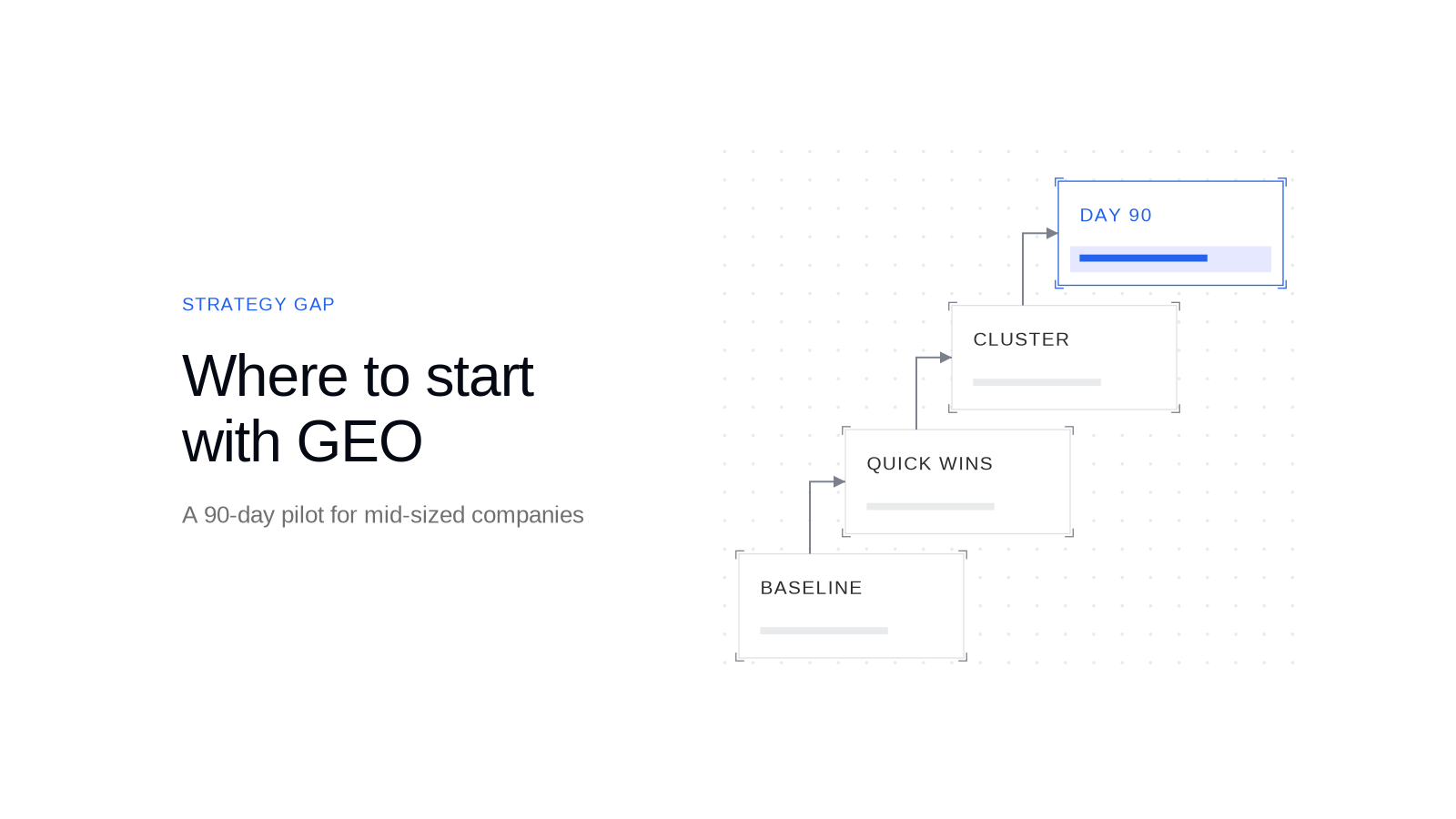
The 90 days fall into four blocks. Each one ends with something you can show:
- Weeks 1-2, baseline: a fixed set of buyer questions, measured before anything changes.
- Weeks 3-4, quick wins: crawler access, the pages that already sell the product, one fact page.
- Weeks 5-12, one cluster: new and rewritten pages for the questions you lost in the baseline.
- Day 90, the report: the same questions measured again, next to the baseline.

Weeks 1-2: the baseline and the question set
The first two weeks produce one thing: a measured starting point on the questions that matter for your pilot product. Without a baseline, the day-90 report has nothing to compare against.
- Choose the product: one where buyers ask AI assistants before they buy and where a sale matters to you. The easiest product proves little about the others.
- Fix the questions: a few dozen questions buyers ask before they buy, taken from sales calls, support tickets and search data. How to find and group them is covered in which prompts to track.
- Run each question several times: in every assistant your buyers use, and record who is named and which pages are cited.
- Connect measurement: Google Search Console, GA4 and Bing Webmaster Tools, before the first page changes.

Several runs per question are needed because AI answers vary. In a SparkToro study, 600 volunteers ran 12 prompts through three AI tools a combined 2,961 times. [1] There was a less than 1 in 100 chance that ChatGPT or Google’s AI gave the same list of brands in any two responses. [1]
One reading before and one after would mostly measure chance.
Bing Webmaster Tools reports citations from Microsoft’s AI answers directly. Its AI Performance report shows how often your content is cited in generative answers, which URLs and how that changes over time. [2] Which visits to count in GA4 is explained in how to measure GEO ROI.
Weeks 3-4: quick wins on access, top pages and fact pages
Weeks 3 and 4 fix what stops AI assistants from using the pages you already have. These changes are small, fast and visible before the pilot cluster is written.
Check that robots.txt and your CDN let the search crawlers of ChatGPT, Copilot, Perplexity and Google through. After a robots.txt update, OpenAI says it can take about 24 hours for its search systems to adjust. [3] The full check is in which AI crawlers can read your site.
Take the pages that already bring visits and enquiries for the pilot product. Put the direct answer at the top, add the facts buyers compare, and date what changes.
Put the facts assistants get wrong about you on one page: what you sell, for whom, where, since when. How to build it is in grounding pages.
None of this needs a relaunch. It needs someone who can approve site changes within days.
Weeks 5-12: one cluster as the pilot
The pilot itself is one content cluster: the questions from your baseline where a competitor is named instead of you, each answered by one page on your site. Eight weeks is enough to publish the cluster and read the first citations, not to judge the whole programme.
- 1Weeks 5-6 · Plan the cluster
Sort the lost questions by what each answer lacks on your site: a page, a fact, a comparison, a source.
Your partProduct facts, customer cases and input from sales - 2Weeks 7-10 · Publish
New pages for the open questions, rewrites for the pages that come close, every claim with its source.
Your partApprove each page - 3Weeks 11-12 · Measure and refresh
Run the same questions again, refresh the pages that are not cited yet, note which ones are.
Your partRead the first results with your strategist
A quarter is enough to see first movement. Two scaile clients show what that can look like:
BILD Reisen recorded a baseline on a tracked panel of travel prompts before launch, then launched a travel content hub built on its bookable inventory in 11 weeks. Its AI mentions tripled.
Braun & Kollegen moved from second to first of 25 Munich law firms in AI answers between 18 August and 21 September 2026, on the same measured questions.
These are two accounts, not a promise. Why each type of result runs on its own clock is explained in how long GEO takes to show results.
What to report to leadership at day 90
The day-90 report puts the same numbers next to the week-2 baseline, on the same questions. Keep it to one page: what moved, what did not, and what you propose for the next quarter.
Below is an example for a hypothetical mid-sized maker of industrial pumps, piloting one pump series in Germany with 40 buyer questions. The numbers are invented to show the format.
| Report line | Week 2 | Day 90 | Where it comes from |
|---|---|---|---|
| Runs that name the brand | 8% | 17% | Prompt tracking, every question run several times |
| Own pages cited in answers | 1 | 9 | Prompt tracking, Bing AI Performance |
| Citation Share for the pilot topic | 2% | 6% | Bing Webmaster Tools |
| Visits from AI assistants to pilot pages, per month | 30 | 110 | GA4 |
| Enquiries on the pilot series from those visits | 0 | 2 | GA4, CRM |
| Pages published or refreshed | 0 | 14 | Your CMS |
Two Bing features make this easier to read. Citation Share is the percentage of all citations for a query that go to your site. [4] Compare overlays an earlier period, for example the current 30 days against the prior 30. [4]
Say in the report what it cannot split out. Google counts visits from AI Overviews and AI Mode inside the regular Web search numbers of Search Console. [5] Part of the pilot’s effect therefore sits in numbers without an AI label.
After day 90: scale, adjust or stop
Day 90 is the first reading, not the final verdict. Decide on the next quarter from the report, and decide the yearly budget later, when the share of answers has had time to move.
Your pages are crawled and cited, and the brand is named more often on the pilot questions. Add the next product or the next market and reuse the framework.
Pages are crawled but rarely cited. Keep the same questions for another quarter, rewrite the pages against what the cited sources offer, and run more measurements.
Buyers barely ask AI assistants about this product. Check where your customers really come from, as in do your customers use AI search, and pilot a product where they do.
At scaile, agreements run for a minimum of six months, so day 90 is the midpoint of the first engagement. Which results should decide a yearly contract is covered in what a GEO pilot should include.
What scaile delivers
scaile runs the 90 days with your team, from the question set to the day-90 report. The platform behind it, app.scaile.to, puts Bing Webmaster Tools, Search Console and GA4 next to scaile’s own prompt tracking, so the report is built from the first week on.
scaile finds your pilot product’s buyer questions with you, from data, and tracks them across the assistants your buyers use.
You getThe week-2 baseline and the same questions measured every week afterA scaile strategist plans the quick wins and the cluster with your team, scaile writes and refreshes the pages, and your team approves each one.
You getA published cluster, weekly calls and the day-90 reportscaile takes over the whole pilot: site fixes, content, publishing, refreshes and reporting.
You getThe day-90 report and the plan for the next quarter, while you give expertise and approvalsStart GEO small and plan 90 days: a baseline on fixed buyer questions, quick wins on access and top pages, one cluster, and a day-90 report on the same questions. That report tells you whether to scale, adjust or switch product.
If you want a strategist to plan the first quarter with your team and scaile to do the work, talk to scaile about Strategy with you.
FAQ
How small can a GEO pilot be?
Smaller than one product’s set of buyer questions rarely works. A single page or a handful of questions cannot be read against the way AI answers change from run to run.
Do we need developers for the first 90 days?
Rarely. With scaile, day one needs only read access to your website, Search Console and analytics, and CMS publishing access can wait until the first pieces are approved.
Can the pilot run next to our SEO agency?
Yes. scaile runs alongside an existing SEO agency rather than replacing it: the agency keeps the site and classic search, scaile adds the pages AI assistants cite.
Sources
- NEW Research: AIs are highly inconsistent when recommending brands or products; marketers should take care whe
- Introducing AI Performance in Bing Webmaster Tools Public Preview |…
- Overview of OpenAI Crawlers
- blogs.bing.com
- AI Features and Your Website | Google Search Central | Documentation | Google for Developers